Is the digital diary legally valid for public contracts?
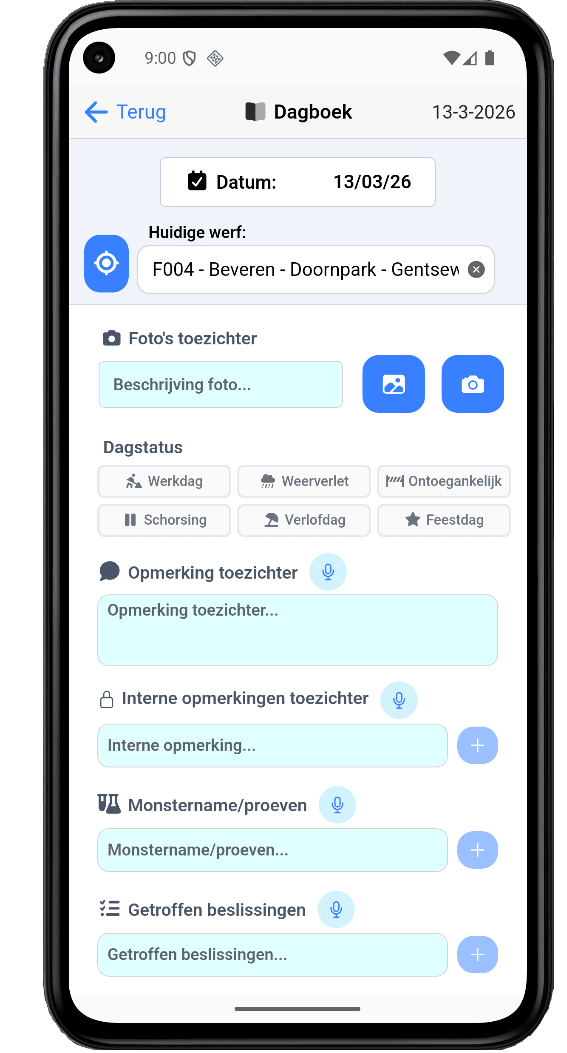
Yes. The diary follows the formal requirements of the Royal Decree of 14 January 2013 (general execution rules): daily observations, automatic numbering of working and non-working days, and sign-off by both parties. Every change is logged with author, party and timestamp — including the old and the new value. Signing is digital, optionally via itsme. In a dispute or audit you hand over the complete file as a single PDF: diary sheets, bad-weather report, photos and change log.
Can I export both the site diary and the bad-weather report?
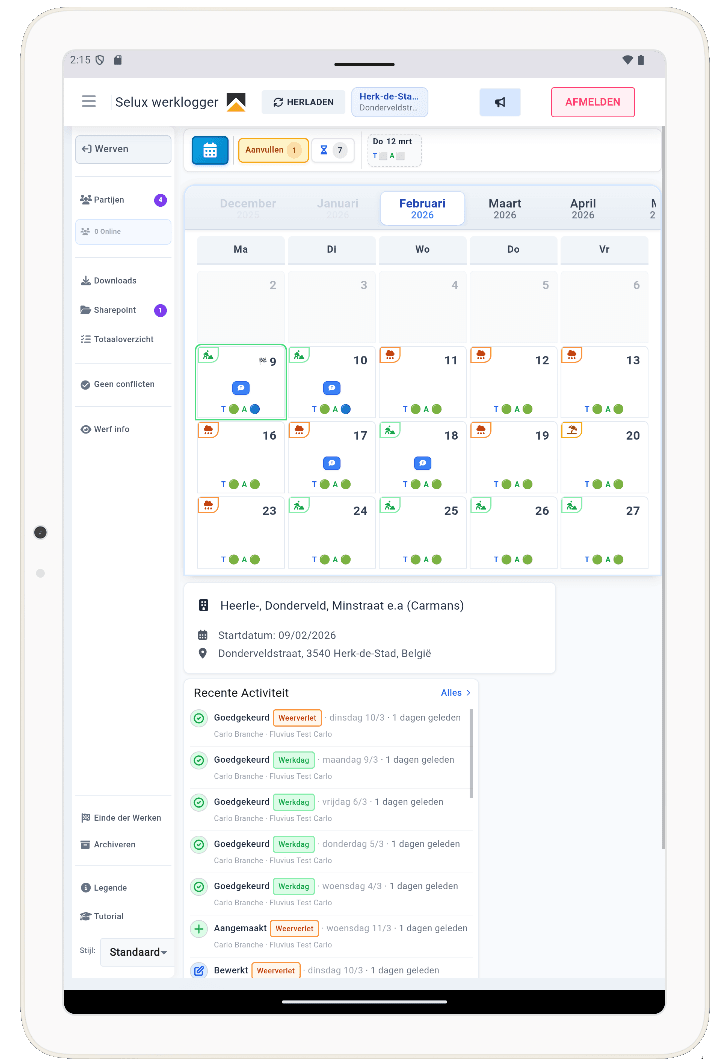
Both documents are built from the same daily entry — so you only record once. Export to PDF, in the familiar layout of the paper sheets, or to Excel to run your own calculations or attach to your progress statement. Working and non-working day numbers and the totals per day type (working days, bad weather, inaccessibility, suspension, leave and public holidays) are calculated automatically. You choose the period: a week, a month or the entire site.
Does the diary work with multiple contractors and subcontractors?
Yes, that is what it was built for. Client, main contractor, subcontractors, design office and lead officer all work in the same diary, each with their own rights per field: fill in, read along or approve. You see live who has the sheet open, so two parties never overwrite the same field at once. External parties are invited by e-mail — they need no licence or installation of their own and only see the sites they were invited to.
When does a day count as a bad-weather day?
A day is automatically proposed as a bad-weather day as soon as a single criterion is met at the location of the site: 0 °C or lower at 7 a.m., at least 4 hourly slots with precipitation between 7 a.m. and 5 p.m. (from 0.3 mm a slot counts), more than 5 mm of precipitation per m² across the day, or gusts of 70 km/h or more. The underlying hourly values sit next to the proposal, so you decide yourself whether to record the day as bad weather — the software does not decide for you.
Where does the weather data come from?
From Open-Meteo, which combines the station measurements of the Belgian RMI with weather radar and satellite imagery into a 2 by 2 km grid covering all of Belgium. Every site therefore lies at most 1.4 km from a measuring point, whereas the nearest RMI station averages some 21 km away — the country has 17 stations, one measurement per ±1,800 km². That difference matters most for local showers: a shower right above your site is picked up by radar but missed by a distant station. The hourly values are stored per site based on its GPS coordinates, so your justification is still there months later.
What if a field is filled in by different parties?
Per field you set which role may fill in, read along or approve: the contractor records staff, equipment and work performed, for instance, the supervisor their observations and tests. As long as a sheet is not signed off, editing stays possible, but every edit enters the change log with name, party, timestamp, old and new value. So it always stays visible who changed something after the initial entry — exactly what counts in discussions about extra work or non-working days.
What if no supervisor visits the site, or does not sign off in time?
That is set per site. If you work without daily supervision, you switch off mandatory sign-off and the diary continues as a unilaterally kept piece of evidence. If you do work with a supervisor, unsigned sheets stay visibly open and one overview shows which days are still waiting for a signature. Signing off can happen afterwards, including a full week in one go.
Where is my data stored?
Entirely within the European Union: the database runs in Frankfurt, the application servers in Paris, both on AWS. Daily backups are taken. Access runs through personal accounts with JWT authentication, optionally reinforced with two-factor authentication, and every user only sees the sites they are assigned to. Your diaries, photos and documents remain yours — you can export them in full to PDF and Excel at any time. All processing is GDPR compliant.
Curious about the possibilities?
Discover during a no-obligation demo how our software simplifies your work processes.